Vertical in sections
Wix
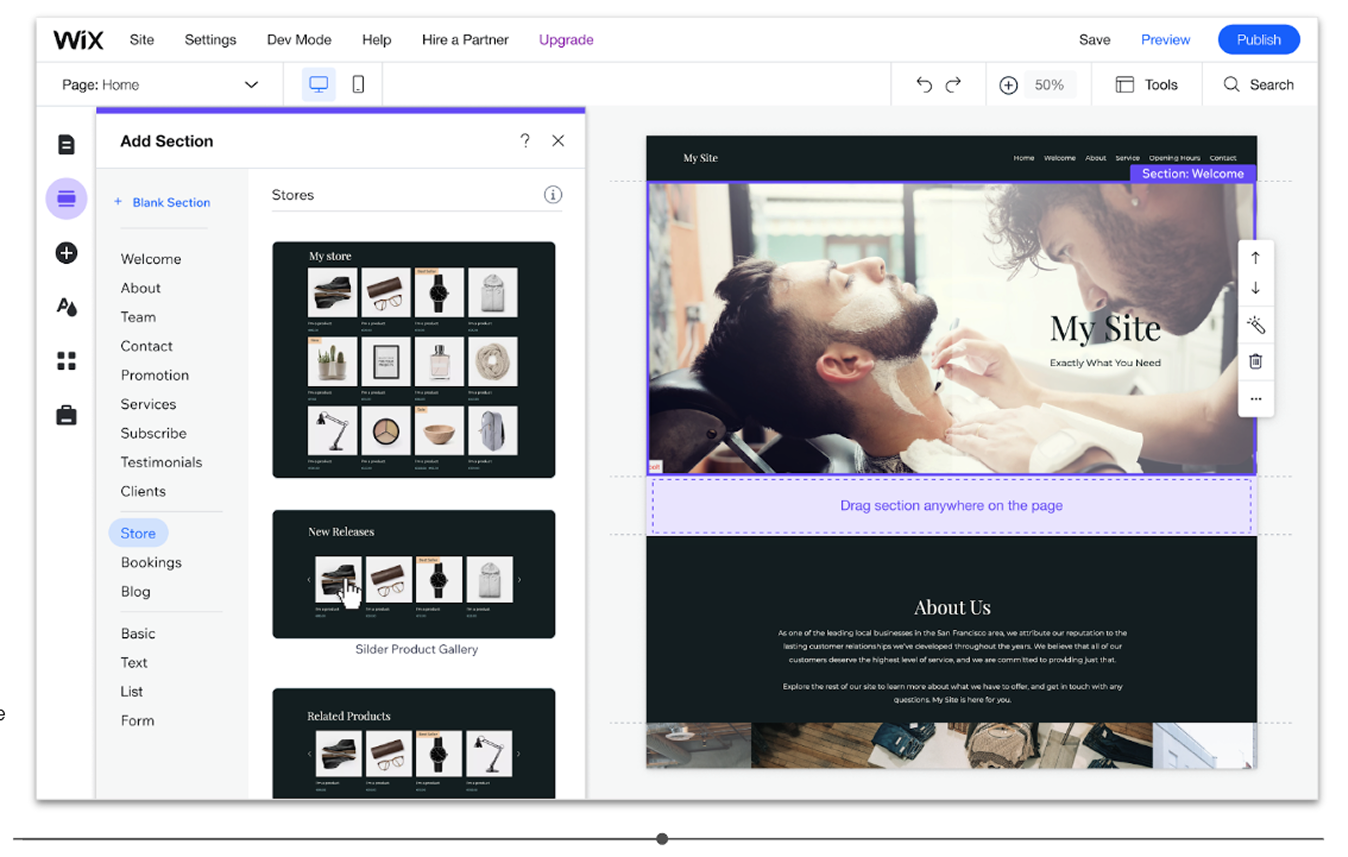
The sections designs presets are offered before the installation.
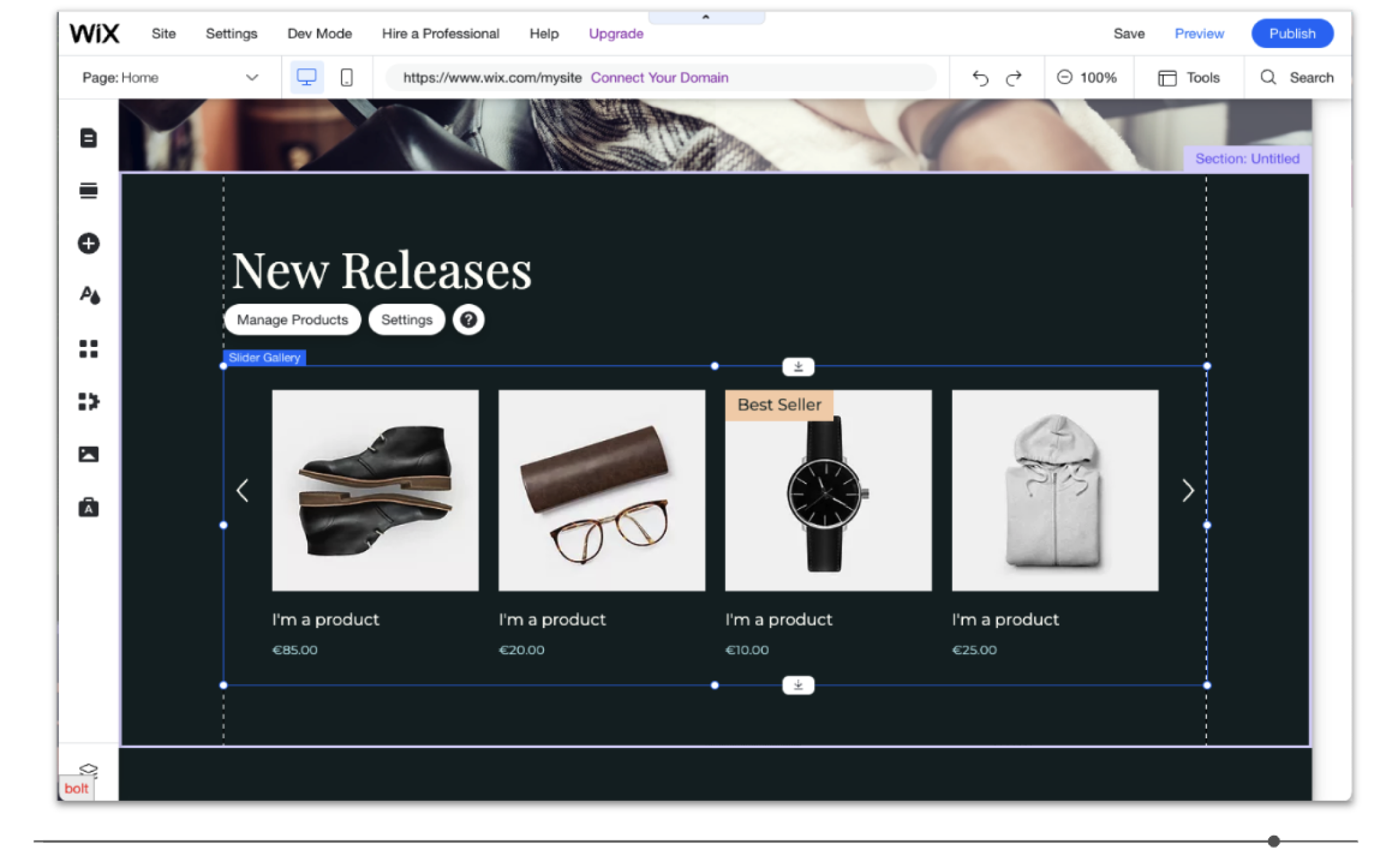
The Stores widget is selected and the section will be in hover state when the section is on stage. That will focus the user to make it a vertical ready, but won't take away his sense of indication.
#B2C #Web #Growth
Overview
Editor has introduced a core building block called "Sections" that divides website pages into meaningful segments, resulting in faster website creation and an improved user experience.
As part of the design thinking solution, it was decided to showcase the verticals as sections. We collaborated with the vertical teams to create dedicated sections presets for each one. We made an effort to persuade the vertical teams of the significance of this initiative.
Preview flow on Youtube
#B2C #Web #Growth
More about the project can be read from desktop
Home
Vertical in sections
Wix
The sections designs presets are offered before the installation.
The Stores widget is selected and the section will be in hover state when the section is on stage. That will focus the user to make it a vertical ready, but won't take away his sense of indication.
#B2C #Web #Growth
Overview
Editor has introduced a core building block called "Sections" that divides website pages into meaningful segments, resulting in faster website creation and an improved user experience.
As part of the design thinking solution, it was decided to showcase the verticals as sections. We collaborated with the vertical teams to create dedicated sections presets for each one. We made an effort to persuade the vertical teams of the significance of this initiative.
The challenge
[Creation] It's harder to build a vertical section without a preset
The opportunity
[Discovery] Expose more users to verticals
The outcome
User engagement is increased through vertical sections, resulting in vertical-ready sites and premium conversion rates.
The results showed that ready verticals increased by 10% and premium accounts increased by 3%.
Preview flow on Youtube